

TL;DR
- Regex filters can surface long questions, prompt-style requests, and conversational follow-ups in Google Search Console.
- They reveal possible AI-search patterns but keep in mind not actual, verified AI traffic.
- Start with the filters below, check which queries earned clicks, and use the questions to improve your existing pages.
Why look at these queries?
The August–September 2026 discussion around AI queries in Search Console went beyond finding really long searches. SEOs were spotting things like “yes please,” “continue,” and “what about pricing.”
Suganthan’s guide to finding AI Mode queries documents that discussion and the different approaches people developed.
There’s a reason these fragments can appear. According to Google’s AI Mode reporting documentation, each follow-up counts as a new query. If someone clicks your link in that response, the click is attributed to the follow-up.
That makes these filters worth exploring. Just don’t label everything they catch “AI traffic.”
Where to paste the regex
- Open Performance → Search results in GSC.
- Choose a date range and start with the last three months.
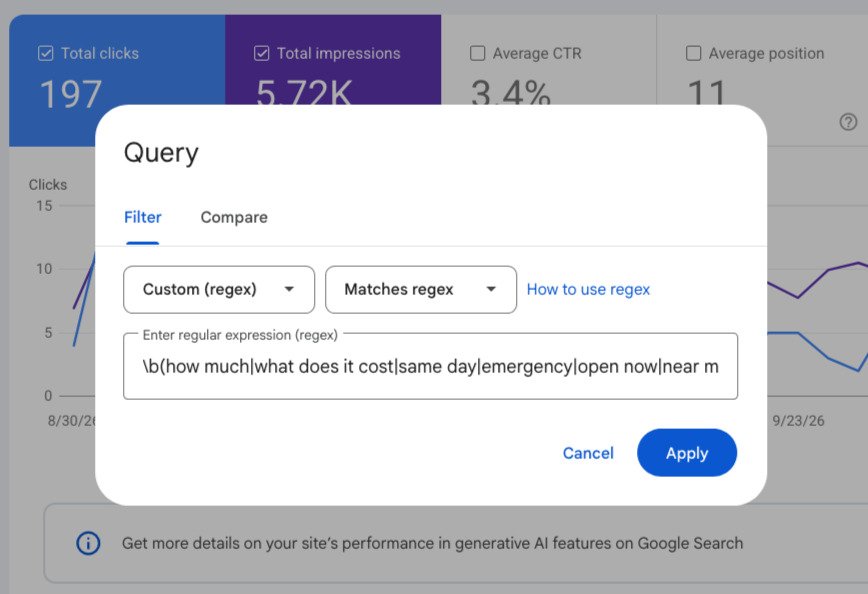
- Click Add filter → Query → Custom (regex).
- Select Matches regex and paste a pattern below.
- Review Queries. Click a query, then open Pages to see the URLs associated with it.
Run one pattern at a time. GSC’s regex filtering documentation explains its RE2 syntax and default case-insensitive matching.
Six filters for conversational searches
These are English-language filters. Examples are illustrative, not actual client data.
1. Searches with 10 or more words
^(?:\S+\s+){9,}\S+$Finds detailed searches such as:
“which camping sites near Asheville have showers and allow dogs”
This is the widely circulated word-count pattern shared in Chris Long’s conversational-query post.
Length is useful for discovery. People also type long questions into regular Google Search.
2. Searches with 20 or more words
^(?:\S+\s+){19,}\S+$A stricter variation of the first filter. Use it when the 10-word version returns too much.
Change {19,} to {31,} for 32 or more words. The number represents the minimum spaces between words, not the total word count.
3. Questions beginning with common starters
^(who|what|where|when|why|how|which|can|could|should|would|is|are|do|does)\bFinds questions such as:
“what should I check before buying a used UTV”
This is a broad question-discovery filter. It will catch plenty of ordinary searches too.
4. Prompt-style instructions
^(please\b|can you\b|help me\b|give me\b|show me\b|tell me\b|explain\b|compare\b|recommend\b|suggest\b|act as\b)Finds requests such as:
“help me choose a beginner enduro bike”
This shortened adaptation draws from Jean-Christophe Chouinard’s published AI-query regex. His full version includes instructions, greetings, replies, and follow-ups.
5. Short replies and requests to continue
^(yes|yeah|yep|ok|okay|sure|yes please|yes go on|go on|continue|show me more)[.!?,]*$Finds fragments such as:
“yes please” or “show me more”
Also adapted from Chouinard’s pattern. These are interesting clues, but check for unrelated searches, brands, and product names.
6. Follow-ups introducing another option or condition
^(what about|how about|and what about|any other|are there other|but what if|what if)\bFinds questions such as:
“what about financing” or “what if I bring my dog”
This suggested variation helps uncover conditions that a page might not address.
Four industry-specific filters
The following are suggested topic filters, not AI detectors. Use them to narrow your research to questions worth answering.
7. Local services: price and availability
\b(how much|what does it cost|same day|emergency|open now|near me|service area)\bUseful for repair shops, contractors, and other service businesses. Look for missing pricing guidance, hours, or service-area details.
8. Ecommerce and software: buying decisions
\b(vs|versus|compare|comparison|alternatives?|compatible with|works with|worth it)\bUseful for finding comparison, compatibility, and purchase-confidence questions.
9. Camping and travel: practical requirements
\b(pet friendly|dog friendly|allows? dogs|full hookups|showers|accessible|wheelchair|kid friendly)\bUseful for spotting amenities and restrictions people care about. These often deserve clear answers on destination or listing pages.
10. Powersports and automotive: ownership questions
\b(beginner|seat height|street legal|maintenance|service intervals?|financing|trade ins?|towing capacity)\bUseful for dealerships and repair businesses. Look for opportunities to explain suitability, ownership costs, and requirements.
What to do with the results
Sort by clicks first to find matching queries that sent people to your site. Then check impressions for relevant questions where your visibility hasn’t produced clicks.
Open the associated page and ask:
- Does it answer the question clearly?
- Is an important condition missing?
- Would a short comparison, heading, or explanation help?
Don’t build a page around “yes please.” Use meaningful questions and follow-ups to improve relevant content.
These filters overlap, so don’t add their totals together. GSC also withholds some query data for privacy. And a matching query cannot tell you whether the click came from a standard result, AI Overview, or AI Mode – much less prove a visit came from ChatGPT.
Treat the RegEx results as research clues. The useful part is finding what people need and making the answer easier to find through tighter content additions, rewrites, or new content to fill the gaps.